








Introduction: Why Multi-Brand Cloud Kitchens Fail Without Proper Layout Planning
Running a cloud kitchen is already a fast-paced business. But managing multiple brands from one kitchen? That’s a whole different game.
Multi-brand cloud kitchens are booming because they allow entrepreneurs to sell burgers, pizza, desserts, healthy bowls, and beverages—all from one location. More brands mean more revenue streams. Sounds like a cheat code.
But here’s the truth: most multi-brand cloud kitchens struggle not because of marketing, recipes, or delivery apps—but because of poor cloud kitchen layout design.
When your layout is wrong, your kitchen turns into chaos:
- Staff collide during rush hours
- Ingredients get mixed between brands
- Orders are delayed
- Food quality drops
- Customer ratings fall
- Profit margins shrink fast
This guide will answer the key question:
How do you create the perfect cloud kitchen layout for multi-brand operations that maximizes efficiency, speed, and profitability?
Let’s break it down step-by-step.
read more : Complete Setup Guide for Cloud Kitchen Equipment Dubai
What Is a Multi-Brand Cloud Kitchen Operation?
A multi-brand cloud kitchen is a delivery-only restaurant model where several virtual brands operate from one shared kitchen.
For example:
- Brand 1: Burgers & fries
- Brand 2: Pizza & pasta
- Brand 3: Healthy bowls
- Brand 4: Desserts & milkshakes
This model works because you share rent, staff, utilities, and equipment while earning from multiple menus.
But without a proper cloud kitchen layout design, multi-brand kitchens quickly become messy, inefficient, and expensive to manage.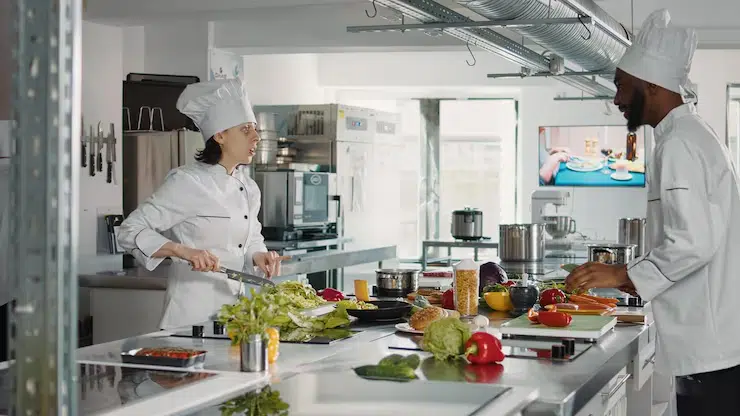
Why Cloud Kitchen Layout Design Is the Most Important Factor in Multi-Brand Success
Most people assume success comes from having multiple brands. But the real secret is having a kitchen system that can handle multiple workflows at the same time.
A strong cloud kitchen layout design helps you:
- Reduce prep time per order
- Improve staff productivity
- Prevent cross-contamination
- Increase order accuracy
- Handle peak-hour delivery demand
- Reduce food waste
- Expand brands without expanding space
In short, layout is not just design—it’s your profit engine.
Cloud Kitchen Layout Design Principles for Multi-Brand Efficiency
Before buying equipment or building walls, you need to understand the core principles.
The 5 Golden Rules of Multi-Brand Layout Planning
A successful multi-brand cloud kitchen layout design must follow:
- Separation of workflows: Each brand should have its own clear production process.
- Shared equipment optimization: Shared fryers, ovens, and refrigeration should be centrally located.
- Minimal staff movement: The fewer steps staff take, the faster your service.
- Fast packaging and dispatch: Delivery pickup should never disrupt cooking.
- Ingredient control: Storage must be organized to avoid brand confusion and wastage.
If you design your kitchen around these rules, scaling becomes easier and faster.
Best Cloud Kitchen Layout Design Workflow: The Ideal Kitchen Flow System
The most successful multi-brand kitchens operate like factories—smooth and structured.
The ideal flow looks like this:
Receiving → Storage → Prep → Cooking → Assembly → Packaging → Dispatch
This ensures ingredients move in one direction, reducing chaos and improving speed.
Why This Matters for Multi-Brand Kitchens
When multiple brands share a kitchen, they also share pressure. During peak times, your layout must prevent bottlenecks.
A smart cloud kitchen layout design prevents staff from crossing paths unnecessarily and keeps production moving forward.
Cloud Kitchen Layout Design Zones Every Multi-Brand Kitchen Must Have
Multi-brand cloud kitchens work best when divided into functional zones. Think of your kitchen like a map.
1. Receiving & Inventory Zone
This is where deliveries arrive.
Must include:
- weighing scale
- inventory racks
- labeling system
- inspection table
Keeping this zone separate prevents supplier deliveries from disrupting operations.
2. Cold Storage Zone (Shared but Organized)
Cold storage is usually shared across brands, but it must be structured.
Include:
- upright refrigerators
- upright freezers
- undercounter fridges
- labeled ingredient containers
💡 Actionable Tip:
Use color-coded bins for each brand to avoid staff mixing ingredients.
A properly planned storage system is a key part of cloud kitchen layout design for multi-brand success.
3. Dry Storage Zone
This is where flour, rice, spices, and packaging materials are stored.
Must include:
- stainless steel shelving
- bulk storage bins
- humidity control solutions
- pest control measures
Dry storage should be located near prep stations but away from heat zones.
4. Central Prep Zone (Shared Prep Station)
In multi-brand kitchens, prep is often centralized.
This zone should include:
- stainless steel prep tables
- commercial food processors
- vegetable cutters
- portion scales
- sauce dispensers
This is where you save the most time if your cloud kitchen layout design is done correctly.
5. Cooking Line Zone (The Production Engine)
This is where most equipment should be installed.
Depending on brands, your cooking line may include:
- fryers
- ovens
- grills
- stovetops
- steamers
In a multi-brand setup, cooking line equipment should be arranged in the order of production.
The cooking line is the heart of every cloud kitchen layout design.
6. Brand Assembly Stations (Separate for Each Brand)
Each brand should have its own assembly counter.
Example:
- Burger brand assembly: buns, sauces, lettuce station
- Pizza brand assembly: slicing, topping station
- Salad brand assembly: bowls, dressings station
This reduces mistakes and improves speed.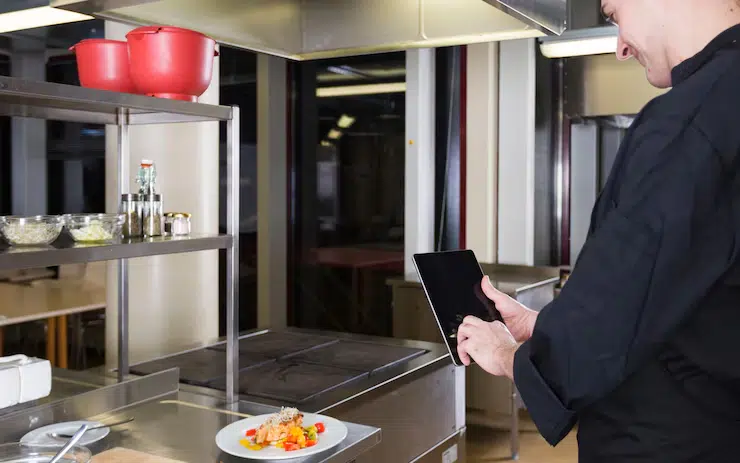
7. Packaging & Labeling Zone (One Shared System)
Packaging should be centralized but structured.
Must include:
- container racks
- sealing machines
- label printer
- thermal bags storage
- cutlery and napkin dispensers
Packaging is where brand identity is protected. A poor packaging zone ruins even the best cloud kitchen layout design.
8. Dispatch Zone (Driver Pickup Area)
This zone must be separate from the kitchen floor.
Include:
- pickup shelves
- heated holding racks
- order verification table
- dedicated entrance (if possible)
Drivers entering the kitchen area causes chaos. Great cloud kitchen layout design keeps dispatch isolated.
Cloud Kitchen Layout Design Options: Which Layout Type Works Best?
There are multiple layout styles for multi-brand operations.
1. Assembly Line Layout (Best for High Volume)
This layout moves food in one direction like a factory line.
Best for:
- burgers
- fried chicken
- meal prep bowls
Pros:
- fastest workflow
- minimal staff movement
- ideal for scaling
2. Zone-Based Layout (Best for Multi-Brand Kitchens)
Each section is dedicated to a task.
Best for:
- kitchens running 3–8 brands
Pros:
- reduces cross-contamination
- keeps brands organized
- improves staff accountability
Zone-based layout is often the most effective cloud kitchen layout design for multi-brand operations.
3. Island Layout (Best for Compact Spaces)
Cooking equipment is placed in the center, with prep and storage around it.
Pros:
- saves space
- flexible workflow
Cons:
- can become crowded during peak hours
read more : Cloud Kitchen Equipment List for Delivery-Only Restaurants
Equipment Placement Strategy for Multi-Brand Cloud Kitchens
Equipment placement is what separates a smooth kitchen from a stressful one.
Best Equipment Placement Tips
- Place fryers near packaging zone (fried food must be packed quickly)
- Place refrigeration close to prep counters
- Place ovens away from salad/dessert stations
- Keep shared equipment central for easy access
- Avoid placing prep stations near dispatch doors
A smart equipment layout strengthens your cloud kitchen layout design and reduces staff fatigue.
How to Reduce Brand Confusion in Multi-Brand Kitchens
One major issue in multi-brand operations is order confusion.
Best Solutions to Prevent Mistakes
- Color-coded chopping boards for each brand
- Brand-specific packaging shelves
- Separate sauce bottles labeled by brand
- Digital Kitchen Display System (KDS)
- Order ticket printers for each station
Mistakes lead to refunds, bad reviews, and lost customers. That’s why organization is a major pillar of cloud kitchen layout design.
Staffing Strategy That Matches Your Layout Design
Your kitchen layout should support staffing efficiency.
Ideal Staff Roles in Multi-Brand Kitchens
- Prep staff (shared prep station)
- Cooking staff (shared cooking line)
- Brand assembler (one per brand during peak hours)
- Packaging staff (central packaging station)
- Dispatch coordinator (checks orders before pickup)
When staffing matches your cloud kitchen layout design, productivity increases dramatically.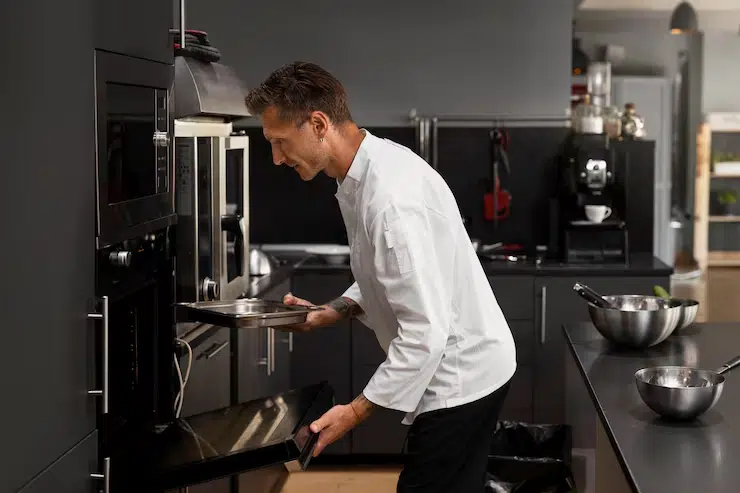
Common Mistakes to Avoid in Multi-Brand Cloud Kitchen Layout Design
Even experienced restaurant owners make layout mistakes.
Top Layout Mistakes
- Placing packaging too far from cooking
- Mixing brand ingredients in the same prep shelves
- Allowing delivery drivers inside kitchen zones
- Not leaving enough aisle space for staff movement
- Underestimating refrigeration needs
- Designing without considering peak-hour traffic
💡 Actionable Tip:
Always simulate your busiest hour before finalizing your kitchen layout. Imagine 30 orders coming in within 15 minutes—your design must survive that pressure.
Avoiding these mistakes makes your cloud kitchen layout design scalable and profitable.
Conclusion: Build a Layout That Supports Growth, Not Chaos
Multi-brand cloud kitchens are one of the most profitable business models in modern food delivery—but only if they are designed properly.
The difference between a kitchen that scales and a kitchen that collapses under pressure is cloud kitchen layout design.
To build the perfect multi-brand setup, remember:
- Divide your kitchen into clear workflow zones
- Centralize shared equipment but separate brand assembly stations
- Build a strong packaging and dispatch area
- Keep staff movement minimal and organized
- Prevent brand confusion with labeling and color-coded systems
When your kitchen runs smoothly, you serve faster, get better reviews, reduce refunds, and increase profit margins.
If this guide helped you, share it with someone building a cloud kitchen—and comment below how many brands you plan to operate from your kitchen.
Ready to upgrade your kitchen? Explore the best restaurant kitchen equipment in the UAE today and take your business to the next level. Click here to discover top-quality solutions that will streamline your operations and boost efficiency


